Laptop Price in BD: A Straight-Talking Buying Guide from Computer Village
Written and reviewed by Computer Village's in-store laptop specialists · Last updated: November 2026 · Based on our current live catalog
In Bangladesh, Laptop price in bd starts from from around 31,000৳ up to 705,240৳+ at Computer Village. Price always change due to stock and the dollar rate, so please always check the latest price on our website before you buy.
Laptop price in BD is decided by four things: the processor generation, the RAM/storage combination, the display panel, and whether a dedicated graphics card is on board. Change any one of these and the price shifts, often by a wide margin, even inside the same brand. Instead of throwing a wall of models at you, this page breaks down exactly why laptops cost what they cost in Bangladesh right now, and how to pick the right one for what you actually do all day.
We've been doing this at street level in Dhaka for 25+ years, so this isn't theory copied from a spec sheet. It's what we tell customers standing at our counter every single day.
What Should You Actually Budget For?
- Basic browsing, typing, online classes: An entry Celeron/Pentium or Intel N-series machine with 8GB RAM and an SSD is enough. Don't overpay for a processor you'll never use.
- University assignments, spreadsheets, freelancing on Fiverr/Upwork: An Intel Core i3/i5 (11th-13th Gen) or Ryzen 5 with 8-16GB RAM and a 512GB SSD is the sweet spot most Bangladeshi students and freelancers land on.
- Video editing, 3D work, coding with heavy IDEs: Core i7/Ryzen 7 or higher, 16GB+ RAM, and either a dedicated GPU or Apple Silicon.
- Gaming and rendering: A dedicated NVIDIA RTX GPU (4GB and above), a fast-refresh display, and strong cooling matter more than the CPU badge alone.
Actual Scenarios We See Every Week
The University Student on a Tight Budget
Most students walking into our showroom ask for "something under a certain amount that won't lag." Nine times out of ten, the honest answer isn't the cheapest Celeron on the shelf. It's a Core i3 11th or 13th Gen with 8GB RAM and an SSD. The price difference is small, but the day-to-day experience (opening Chrome with 15 tabs, running Zoom classes, using Canva) is night and day. We've watched too many students return a super-budget unit within weeks because it couldn't keep up.
The Freelancer Who Needs It to "Just Work"
Freelancers doing design, data entry, or video calls all day care about two things: battery life and not freezing mid-task. For this crowd, we usually steer toward 16GB RAM machines even if it means stepping down a processor tier, because RAM headroom prevents more freezing complaints than CPU speed does.
The Small Business Owner Buying in Bulk
Office and retail businesses buying 5-10 units at once almost always ask about after-sales support before price. This is where genuine warranty coverage and a real service center (not a "we'll try our best" promise) becomes the deciding factor over a slightly lower price elsewhere.
The Gamer Chasing FPS on a Budget
Gamers frequently overspend on the CPU and underspend on the GPU. A Ryzen 5 paired with a dedicated RTX card will outperform a Core i7 with integrated graphics in every modern title. We always ask "what do you actually want to play?" before recommending a spec.
Compare Laptop Price in BD by Brand
Each brand page below lists every model we carry with its current price, so you can compare like for like. Here is a quick guide to which brand suits which kind of buyer.
| Brand | Models Listed | Best For |
|---|
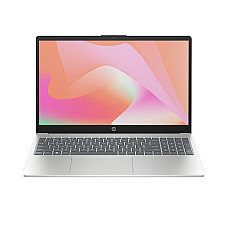
| HP Laptop Price in BD | 440+ | Students, office work, everyday use |
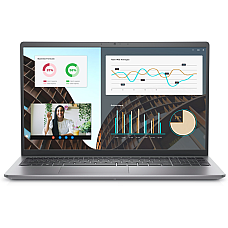
| Dell Laptop Price in BD | 130+ | Business users, long-term office use |
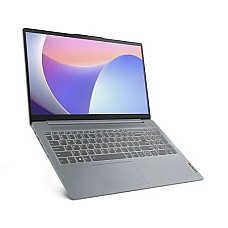
| Lenovo Laptop Price in BD | 390+ | Value for money, students, first-time buyers |
| ASUS Laptop Price in BD | 530+ | Multitasking, light creative work |
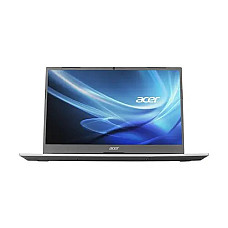
| Acer Laptop Price in BD | 150+ | Budget buyers who still want real specs |
| MSI Laptop Price in BD | 140+ | Gaming, rendering, creators |
| Apple MacBook Price in BD | 120+ | Creators, editors, all-day battery |
| Gaming Laptop Price in BD | 330+ | RTX graphics, high-refresh gaming |
| Walton Laptop Price in BD | 3 | Entry-level, tight budgets |
| Pre-Owned Laptop Price in BD | 45 | Lowest budget, checked used units |
What Actually Moves Laptop Price in Bangladesh
Processor Generation
Two laptops with the same "Core i5" badge can perform very differently depending on generation. Intel has moved through 10th, 11th, 12th, 13th, and now Core Ultra generations, while AMD's Ryzen lineup spans 3000 through 7000 series and the newer Ryzen AI chips. A newer generation at the same core count usually means better efficiency and battery life, not just raw speed. That's why a 13th Gen i3 can feel snappier than an older i5.
RAM: Capacity and Type
8GB is now the realistic minimum for Windows 11; 16GB is where multitasking stops feeling stressful. Just as important is the RAM type. DDR5 and LPDDR5 modules run faster and more efficiently than DDR4, which is one reason two laptops with identical "8GB RAM" specs can price differently.
Storage: SSD vs HDD, and NVMe vs SATA
Almost every laptop worth buying today ships with an SSD instead of a spinning HDD, and for good reason: boot times and app loading drop from minutes to seconds. Within SSDs, NVMe drives (connected over PCIe) outrun older SATA SSDs, and this distinction quietly affects price even at the same storage capacity.
Graphics Card: Integrated vs Dedicated
Shared/integrated graphics (Intel UHD, Intel Iris Xe, Radeon Graphics) handle everyday use fine but struggle with gaming or serious video editing. Dedicated GPUs (NVIDIA RTX 2050/3050/4050 and above) are what push a laptop from "office machine" into "creator or gaming machine" territory, and they are usually the single biggest price driver on the spec sheet.
Display Panel and Resolution
Full HD (1920×1080) is the standard baseline. Panel type matters more than most buyers realize: IPS and OLED panels offer wider viewing angles and richer color than basic TN panels, which matters a lot for anyone doing photo or video work.
Build, Ports, and Extras
Backlit keyboards, fingerprint readers, Type-C charging, Wi-Fi 6, and MIL-STD durability testing are increasingly common even in mid-range laptops. These small additions add real day-to-day convenience.
Generation & Chipset Comparison, Explained Simply
If you're comparing two laptops and only one number seems to differ, here's how the major processor families stack up in practical terms:
- Intel 11th → 12th → 13th Gen → Core Ultra: Each step brings better power efficiency and integrated graphics performance. Core Ultra chips add a dedicated AI processing unit (NPU), useful for newer Windows AI features.
- AMD Ryzen 3000 → 5000 → 7000 → Ryzen AI series: Similar pattern. Later series bring better efficiency cores and improved integrated Radeon graphics, closing the gap with entry dedicated GPUs.
- Apple M1 → M2 → M3 → M4 → M5: Apple Silicon prioritizes battery life and thermal efficiency, which is why MacBooks stay cool and quiet even under sustained creative workloads.
- Snapdragon X series: ARM-based Windows laptops built for all-day battery life, at the cost of some software compatibility with older Windows programs.
Compatibility Notes Before You Buy
- RAM upgrades: Many budget and mid-range models allow one RAM slot to be upgraded later; ultra-thin models increasingly solder RAM to the board, so check before assuming you can add memory afterward.
- Storage upgrades: Most modern laptops use an M.2 NVMe slot, so confirm the slot's PCIe generation before buying a faster SSD to upgrade into it.
- Charger wattage: Gaming and high-performance laptops need their original wattage charger (often 120W-230W); using a lower-wattage charger will slow charging or limit performance under load.
- OS licensing: Laptops sold with Free DOS are cheaper but need a Windows license purchased separately if you're not switching to Linux.
Choosing by Budget Tier: What Changes at Each Level
Rather than chasing a single number, think in tiers. Each step up solves a specific frustration from the tier below it.
- Entry tier: Celeron, Pentium Silver, or Intel N-series processors with 4-8GB RAM and a small SSD. Fine for typing, browsing, and video calls, but struggles the moment you open several heavy tabs or apps at once.
- Everyday tier: Core i3 (11th-13th Gen) or Ryzen 3/5 with 8GB RAM and a 256-512GB SSD. This is where most students and office staff should actually land. The jump in comfort from the entry tier is bigger than the jump in cost.
- Power-user tier: Core i5/i7 or Ryzen 5/7 with 16GB RAM, a larger NVMe SSD, and often a modest dedicated GPU (2-4GB). Handles multitasking, light editing, and coding environments without slowdown.
- Creator/gaming tier: Core i7/i9 or Ryzen 7/9 with 16GB+ RAM and a dedicated RTX GPU (4GB and above), or Apple Silicon for creative work. Built for rendering, gaming, and professional software that entry and everyday tiers simply cannot run.
The mistake we see most often isn't buying too cheap. It's buying one tier higher than needed "just in case," while ignoring RAM or storage, which are the specs that actually get felt day to day.
Laptop, Notebook, Ultrabook, or 2-in-1: What's the Real Difference?
These terms get used interchangeably in ads, but they describe genuinely different designs.
- Laptop / Notebook: Used interchangeably in Bangladesh. Both refer to the standard clamshell portable computer, and there's no meaningful technical difference between the two terms today.
- Ultrabook: A thin, lightweight, premium-build laptop category (Intel's original branding) focused on portability and battery life over raw power, such as ASUS ZenBook or Dell XPS-class machines.
- 2-in-1 / Convertible: A laptop with a touchscreen that folds or detaches into tablet mode. Useful for note-taking, presentations, or casual sketching, at some cost to keyboard rigidity.
- Gaming laptop: Distinguished not by size but by a dedicated GPU, enhanced cooling, and often a higher refresh-rate display. The chassis is usually thicker and heavier to support this.
Matching Brands to the Way You Actually Work
HP tends to be the safest all-rounder for students and office staff who just want dependable daily performance. Dell earns its reputation with business users who run a machine for years without babying it. Lenovo remains the value pick for students and first-time buyers who want solid performance without paying for extras they won't use. ASUS blends modern design with strong specs for anyone who multitasks or dabbles in light creative work. Acer is where budget-conscious buyers land when they want real specifications without a premium sticker. MSI and Lenovo Legion/LOQ are built for gaming and rendering workloads first. Apple's MacBook line remains the standard for creators, editors, and professionals who prioritize battery life and build quality above raw upgradeability.
Why Buyers Keep Coming Back to Computer Village
Bangladesh's laptop market has no shortage of sellers, but pricing alone doesn't tell you whether a machine is genuine, whether the warranty is honored, or whether someone will actually help you when something goes wrong. That's the gap we've spent 25+ years closing.
- 100% genuine stock: Every unit we sell is sourced through authorized channels, not gray-market imports, so the warranty card in the box is actually honored.
- Official brand warranty, backed by our own service support: If a laptop needs servicing, you're not left chasing a courier. Our service center handles it directly.
- Transparent, no-surprise pricing: The price you see reflects the actual configuration listed, with no bait-and-switch specs at checkout.
- Real specialists, not order-takers: Our staff can explain the difference between a 12th Gen and 13th Gen chip, or why one SSD outperforms another at the same capacity, because we deal with this hardware daily.
- Physical branches plus online ordering: Prefer to see and test a laptop before buying? Visit one of our branches. Prefer to order online? We deliver nationwide.
Explore More at Computer Village
Building a complete setup around your laptop, or comparing a few current bestsellers before you decide? Here's where to look next:
Some of our current best sellers worth a look if you're comparing options right now:
What People Ask About Laptop Price in BD
What is the average laptop price in BD right now?
Laptop price is bangladesh currently starts from around 31,000৳ up to 705,240৳, available at Computer Village. Prices change often with stock and the dollar rate, so please always check the latest price on our website before you buy.
Which processor generation should I choose in 2026?
For everyday use, Intel 12th Gen or newer, or Ryzen 5000 series or newer, gives the best balance of performance and battery life for the money. Older generations (10th Gen and below) are only worth considering at a steep discount.
Is 8GB RAM enough for a laptop in 2026?
8GB RAM is the practical minimum for smooth Windows 11 use today. If your budget allows it, 16GB gives noticeably more comfortable multitasking and a longer useful lifespan before the laptop starts feeling slow.
Should I buy an SSD-only laptop or one with both SSD and HDD?
An SSD-only laptop is the better choice for speed and reliability. If you need large storage for media files, adding an external or portable hard disk is usually more practical than choosing a slower HDD-based laptop.
Do I need a dedicated graphics card?
Only if you game, edit video, or do 3D/CAD work. For browsing, office tasks, and studying, integrated graphics (Intel Iris Xe, UHD, or Radeon Graphics) is enough and helps keep the price down.
Is it safe to buy a laptop online in Bangladesh?
It's safe when you buy from an authorized retailer with a verifiable warranty and a real service center. Check that the seller can register your warranty with the brand directly rather than only offering a store-level guarantee.
What's the difference between Free DOS and Windows laptops?
Free DOS laptops ship without an operating system license, which lowers the price but means you'll need to purchase Windows separately (or install Linux) to get a full desktop experience out of the box.
How long should a laptop battery realistically last?
Most modern laptop batteries hold a healthy charge for 2-3 years of daily use before capacity noticeably drops, longer if you avoid keeping the laptop at 100% charge constantly plugged in.
Does Computer Village offer warranty and after-sales service?
Yes. Every laptop sold at Computer Village comes with official brand warranty, and our own service center handles repairs and support directly, so you're not left dealing with the manufacturer alone.
Which laptop is best for university students in Bangladesh?
For most students, a Core i3 (11th-13th Gen) or Ryzen 5 with 8GB RAM and an SSD covers coursework, research, and light design work like Canva or Photoshop without overspending on power you won't use daily.
Which laptop brand is most reliable long-term in BD?
Dell and Lenovo are generally the most-cited for long-term durability among business and student users respectively, though reliability depends more on the specific model and how it's maintained than the brand alone.
Is a Ryzen laptop as good as an Intel laptop?
Yes. Modern Ryzen chips (5000 series and newer) are directly competitive with equivalent Intel Core processors, and Ryzen's integrated graphics are often stronger, making it a smart pick for light gaming without a dedicated GPU.
Can I upgrade RAM or storage after buying a laptop in BD?
It depends on the model. Many mainstream laptops allow a RAM or SSD upgrade later, while ultra-thin and some budget models solder RAM to the motherboard. Always confirm upgradeability before buying if future upgrades matter to you.