Your Cart
×

Netis Router
Netis Router
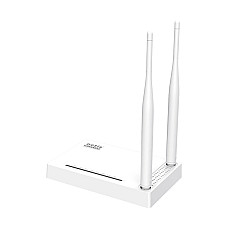
Brand: Netis
- Antenna:2 x 5dbi External Antena
- Data Rate:300 Mbps
- Button:2 x 5dbi External Antena
- Frequency:2.4 GHz
1,450৳
Ex Tax:1,450৳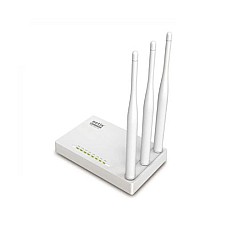
Brand: Netis
- Interface: 1 WAN And 4 LAN
- Antennas: 3* 5dBi
- Frequency: 2.4-2.4835GHz
- Wireless Security: 64/128-bit WEP
1,500৳
Ex Tax:1,500৳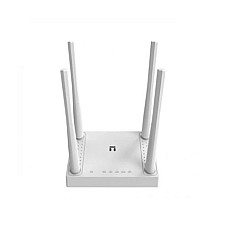
Brand: Netis
- Data Rate: Up to 300Mbps
- Antenna: 4 * 5dBi Fixed Antenna
- Button: WPS, Default
- Frequency: 2.4-2.4835GHz
1,790৳
Ex Tax:1,790৳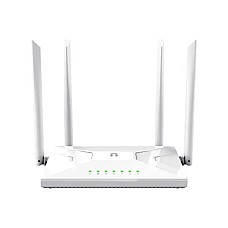
Brand: Netis
- Antenna: 4* Fixed High-Performance Antennas
- Signal Rate: Up to 300Mbps 2.4GHz & 867Mbps 5GHz
- MU-MIMO, Beamforming Technology, EASY MESH
- Interface: 1x Fast WAN, 3x Fast LAN ports
2,100৳
Ex Tax:2,100৳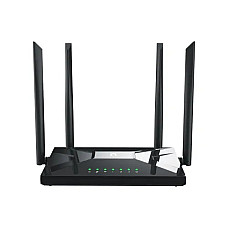
Brand: Netis
- Antenna: 4* Fixed High-Performance Antennas
- Signal Rate: Up to 300Mbps 2.4GHz & 867Mbps 5GHz
- MU-MIMO, Beamforming Technology, EASY MESH
- Interface: 1x Gigabit WAN, 3x Gigabit LAN ports
2,700৳
2,850৳
Ex Tax:2,700৳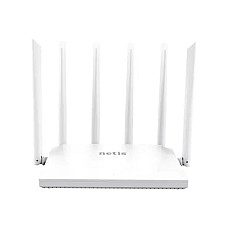
Brand: Netis
- Antenna: 6* External Fixed 5dBi Antenna
- Signal Rate: Up to 300Mbps 2.4GHz & 867Mbps 5GHz
- MU-MIMO, Beamforming Technology, EASY MESH
- Interface: 1x Gigabit WAN, 3x Gigabit LAN ports
3,000৳
3,400৳
Ex Tax:3,000৳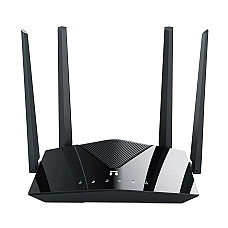
Brand: Netis
- Band : Dual
- Router Type : Wireless & Ethernet
- Wi-Fi Generation : Wi-Fi 6
- Wi-Fi Coverage (Approximate) : Unmentioned
- Antenna (Type & Qty) : 4 x 5dBi high gain antennas
- Color : Black
3,600৳
3,700৳
Ex Tax:3,600৳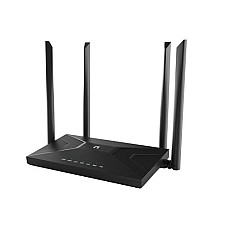
Brand: Netis
- Antenna: 2* 5dBi WiFi antennas, 2 SMA detachable 4G antennas
- Button: Default, WPS
- Wireless: AP/APR, Multi-SSID
- Network Standard: IEEE 802.11b/g/n 2.4GHz
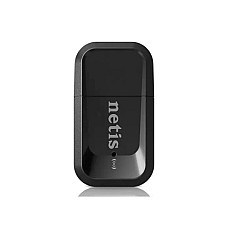
Brand: Netis
- Colour: BLACK
- Item Height: 18 Millimeters
- Item model number: Nano
- Wireless Type: 802.11 a/b/g/n

Brand: Netis
- Data Transfer Rate: Up to 300Mbps
- MIMO high gain 5dBi x 2 antennas
- Dual Operation Modes
- Multiple Wireless Modes
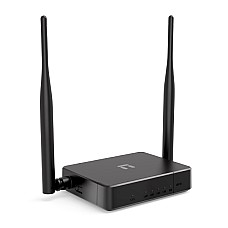
Brand: Netis
- Data Rate: Up to 300Mbps
- Antenna: 2 x 5dBi Fixed Antenna
- Button: WPS, Default
- Frequency: 2.4-2.4835GHz

Brand: Netis
- Data Rate: 150Mbps
- Interface: USB 2.0
- Network Standard: IEEE 802.11 B, G, N
- Warranty: 1 Year
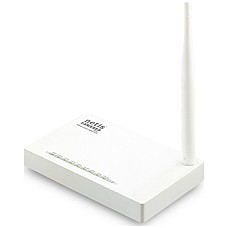
Brand: Netis
- Frequency: 2.4-2.4835GHz
- Interface: 1 WAN and 4 LAN
- Dimensions: 144.5 * 90 * 26.5 mm
- Warranty: 1 year

Brand: Netis
- Interface: 1 WAN and 4 LAN
- Antenna 2* 5dBi Antennas
- DIM: 144.5 * 90 * 26.5 mm
- Frequency: 2.4-2.4835GHz
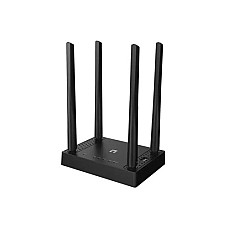
Brand: Netis
- Antenna: 4 x external fixed 5dBi antennas
- Button: WPS,Reset
- Frequency: 2.4-2.4835GHz;5.180-5.825GHZ
- Wireless#: AP, ARP, Multi-SSID
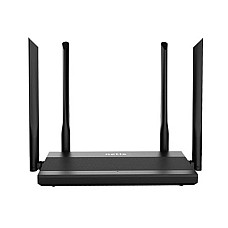
Brand: Netis
- Antenna: 4 x external fixed 5dBi antenna
- Button: Default, WPS
- Dimension: (L x W x H ): 212 x 145 x 40 mm
- Weight: 1.70 lbs
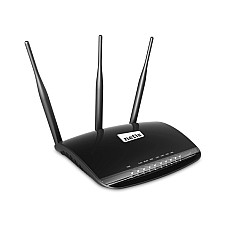
Brand: Netis
- Signal Rate Up to 300Mbps
- Frequency 2.4-2.4835GHz
- Antennas: 3* 5dBi
- Power Supply DC 12V/1A
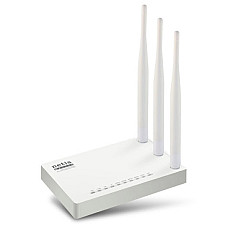
Brand: Netis
- Interface: 1 WAN and 4 LAN
- Antennas: 3* 5dBi
- Frequency: 2.4GHz to 5 GHz
- Button: WPS, Default
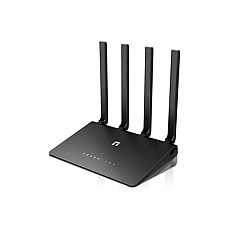
Brand: Netis
- Button: Default, WPS
- Frequency: 2.4-2.4835GHz
- Data Transfer Rate (Lan): 1000 Mbps
- Antenna: 4 x external fixed 5dBi antenna
- Button: Default, WPS
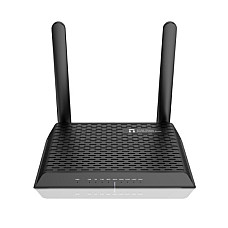
Brand: Netis
- Frequency: 2.4-2.4835GHz;5.180-5.825GHZ
- Antenna: 2 x dual 5dBi high gain antennas
- Ports: 1 x USB2.0 port
- Color: Black
Netis Router Price in BD 2026: Find the Right Netis Wi-Fi Router at Computer Village
A Netis router is a good value Wi-Fi router for homes, flats and small offices in Bangladesh. At Computer Village, the Netis router price in BD currently runs from about 1,450 Taka to 3,700 Taka, depending on the Wi-Fi standard, number of antennas and port speed. Router prices change often with import costs and supply, so please check the live price on the Computer Village website before you buy.
Computer Village has been a trusted tech shop for Bangladeshi buyers for years. Every day we help people pick routers for broadband and FTTH connections from local ISPs. We don't treat routers as boxes on a shelf. We ask about your internet package, your flat layout and how many devices you have, then suggest the Netis model that suits you. This guide shares that same advice so you can choose with confidence before you visit or order online.
Who Is Netis, and Why Do So Many BD Homes Use It?
Netis is a global networking brand known for low-cost routers that are stable and simple to set up. Its line runs from basic N300 single-band routers to AC1200 dual-band and newer Wi-Fi 6 models. That makes it a natural choice for students, families and small shops that want reliable Wi-Fi without paying flagship prices.
In our experience, Netis routers rarely come back to us for hardware faults. The setup page is easy enough for first-time users, and the strong external antennas suit the concrete walls common in Dhaka apartments.
How to Read Netis Model Names
The letters and numbers in a Netis model name tell you its Wi-Fi class. Once you know them, comparing models takes seconds:
- N300 / 300Mbps (WF2419E, WF2409E, W4): Single-band 2.4GHz Wi-Fi 4. Best for basic browsing, social media, YouTube and a few devices.
- AC1200 (NC21, NC65, NC63): Dual-band Wi-Fi 5. About 300Mbps on 2.4GHz plus about 867Mbps on 5GHz, so it handles more devices and HD streaming.
- AX1500 (NX10): Dual-band Wi-Fi 6. More efficient data handling, lower lag with many connected devices, and WPA3 security.
- "Gigabit" in the name: The wired ports run at 1000Mbps instead of 100Mbps. This matters a lot on faster internet plans.
The Most Common Router Mistake in Bangladesh
If your internet package is above 100 Mbps, a router with only 10/100 ports will cap your speed. Many buyers upgrade their ISP plan, keep an old router, and then wonder why speed tests never reach what they pay for.
Here is the simple rule we share at our counter:
- Package up to 50 Mbps: An N300 Netis router is usually enough for a small flat.
- Package from 50 to 100 Mbps: A dual-band AC1200 model puts streaming devices on 5GHz and frees up 2.4GHz.
- Package above 100 Mbps: Choose a Netis gigabit router (NC65, NC63) or the Wi-Fi 6 NX10 so the WAN port doesn't become the bottleneck.
Which Netis Router Fits Your Situation?
These are real buyer situations our team sees every week, matched to Netis models currently in stock.
Student room, bachelor mess or small single-room setup
Pick: Netis WF2419E or WF2409E. Both are 300Mbps 2.4GHz routers that are easy on the budget. The WF2419E has two 5dBi antennas for compact rooms. The WF2409E adds a third 5dBi antenna, which helps the signal get through one more wall. Both give you four LAN ports for a desktop PC, IPTV box or CCTV DVR.
Two-bedroom flat with mostly phones
Pick: Netis W4 300Mbps 4 Antenna Router. Four antennas spread 2.4GHz coverage more evenly through rooms and corridors than two-antenna designs. Its clean white body also suits a living-room shelf or wall mount.
Family home with smart TVs and online classes
Pick: Netis NC21 AC1200 Dual Band Router. Dual-band Wi-Fi keeps a 4K stream on 5GHz while kids' tablets and smart plugs stay on 2.4GHz. It's an affordable step from single-band to real dual-band speed, and its four antennas cover a typical three-bedroom flat.
Work from home, video calls and gaming
Pick: Netis NC65 AC1200 Dual Band Gigabit Router. Gigabit WAN and LAN ports let a 100+ Mbps FTTH line reach your PC or console at full speed over cable. Dual-band Wi-Fi keeps Zoom, Teams and online games stable while others stream.
Large duplex, wide flat or small office
Pick: Netis NC63 AC1200 Dual Band Gigabit Router. Six external 5dBi antennas make this the coverage champion of the AC1200 range. For small offices with 15 to 25 connected devices, it gives wide signal and gigabit wired speed in one unit.
Future-ready home with many devices
Pick: Netis NX10 AX1500 Wi-Fi 6 Router. Wi-Fi 6 handles crowded networks much better. Phones, laptops, smart TVs and cameras share airtime more efficiently, and WPA3 adds stronger security. If your phone and laptop already support Wi-Fi 6, this is the Netis router we recommend most for the next 3 to 4 years.
Netis Router Comparison at a Glance
| Model | Wi-Fi Class | Bands | Port Speed | Best For |
|---|---|---|---|---|
| Netis WF2419E | N300 (Wi-Fi 4) | 2.4GHz | 10/100 | Single room, basic use |
| Netis WF2409E | N300 (Wi-Fi 4) | 2.4GHz | 10/100 | Small flat, 3 antennas |
| Netis W4 | N300 (Wi-Fi 4) | 2.4GHz | 10/100 | Even coverage, 4 antennas |
| Netis NC21 | AC1200 (Wi-Fi 5) | 2.4 + 5GHz | Standard | Family streaming |
| Netis NC65 | AC1200 (Wi-Fi 5) | 2.4 + 5GHz | Gigabit | Work from home, gaming |
| Netis NC63 | AC1200 (Wi-Fi 5) | 2.4 + 5GHz | Gigabit | Large homes, small office |
| Netis NX10 | AX1500 (Wi-Fi 6) | 2.4 + 5GHz | Gigabit | Many devices, future-proof |
Netis vs Other Budget Router Brands
Netis competes directly with TP-Link, Tenda and Mercusys in the budget and mid-range router market. In our experience, Netis often gives you more antennas or gigabit ports for the money, while TP-Link has a bigger app ecosystem. Tenda and Mercusys are strong rivals at the entry level. If you're comparing brands, decide on Wi-Fi class and port speed first, then pick the brand whose model fits your budget and coverage needs.
Setting Up a Netis Router in 5 Minutes
- Connect your ISP cable or ONU LAN output to the router's WAN port.
- Power on the router and connect to its default Wi-Fi, or use a LAN cable.
- Open a browser and go to netis.cc or 192.168.1.1. Default login details are printed on the label under the router.
- Choose your connection type: PPPoE (enter the username and password from your ISP) or Dynamic IP.
- Set a new Wi-Fi name and a strong password, change the admin password, and save.
If you get stuck, the Computer Village support team can walk you through it. That help is part of buying from a specialist retailer rather than a random marketplace seller.
Pick up a Quality Netis Routers from Computer Village
- Authentic stock: Every Netis router comes through official distribution channels, sealed and brand new.
- Official warranty with service support: Warranty claims go through proper service channels, with Computer Village helping you at every step.
- Clear pricing: The price on the website is the price you pay. No hidden charges at checkout.
- Advice from people who use the products: Our team matches routers to your ISP package, flat size and device count, not to a sales target.
- Delivery across Bangladesh: Order online for fast delivery inside Dhaka and nationwide shipping, or visit our showroom to see the models in person.
Explore More Products at Computer Village
Building a complete network? These related categories and popular in-stock Netis routers are good next steps:
- All Wi-Fi routers in Bangladesh
- TP-Link router price in BD
- Tenda Wi-Fi router collection
- Mercusys budget routers
- Netis access point for wider coverage
- Netis network switch for more wired ports
- Wi-Fi range extenders to remove dead zones
- Netis NX10 AX1500 Wi-Fi 6 gigabit router
- Netis NC65 AC1200 dual band gigabit router
- Netis NC63 6 antenna gigabit router
- Netis NC21 AC1200 dual band Wi-Fi router
- Netis W4 300Mbps 4 antenna router
Frequently Asked Questions About Netis Routers
Is Netis a good router brand in Bangladesh?
Yes. Netis is a reliable, budget-friendly brand that works well with Bangladeshi broadband and FTTH connections. It offers strong external antennas, an easy setup page and models from basic N300 to Wi-Fi 6.
Which Netis router is best for a 100 Mbps or faster internet package?
Choose a Netis gigabit router such as the NC65 or NC63, or the NX10 Wi-Fi 6 model. Gigabit ports stop the router from capping your speed at 100 Mbps.
What is the difference between Netis N300 and AC1200 routers?
N300 routers use only the 2.4GHz band, up to 300Mbps. AC1200 routers add a faster 5GHz band, for about 1200Mbps combined, and handle more devices and HD streaming better.
Is the Netis NX10 a true Wi-Fi 6 router?
Yes. The Netis NX10 is an AX1500 dual-band Wi-Fi 6 router with gigabit ports and WPA3 security, built for homes with many connected devices.
How do I log in to a Netis router?
Connect to the router, then open netis.cc or 192.168.1.1 in a browser. The default login details are on the label under the router. Change them after your first setup.
Do Netis routers work with ONU and FTTH connections in BD?
Yes. Connect the ONU's LAN output to the router's WAN port, then choose PPPoE or Dynamic IP as your ISP instructs.
Do Netis routers come with a warranty at Computer Village?
Yes. Netis routers bought from Computer Village come with official warranty support, and our team helps with any warranty claim.