Menu
×
Your Cart ×

TP Link Dual Band Router price in Bangladesh 2026

Check TP Link Dual Band Router price in Bangladesh below. Starting from BDT 1,600৳ up to BDT 35,189৳, varieties of 93 products where 58 products are available and 23 of them are with the best discount price. This price list was updated on 20-11-2026 by Computer Village, the Best TP Link Dual Band Router shop in BD.

TP Link Dual Band Router

TP Link Dual Band Router
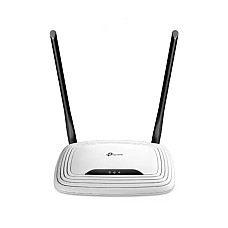
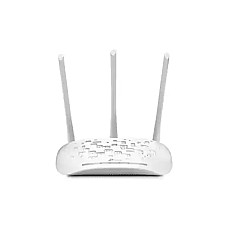
Brand: TP-Link
    • Buttons: Reset Button
    • Wi-Fi Capacity: Legacy
    • Processor: Single-Core CPU
    • Ethernet Ports: 1× 10/100 Mbps WAN Port
1,600৳
Ex Tax:1,600৳
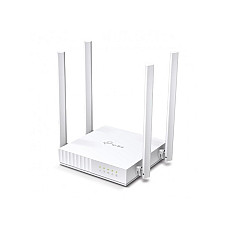
Brand: TP-Link
    • Supports Router, Access Point, & Range Extender
    • 4× Fixed Antennas deliver far-reaching Wi-Fi
    • IPv6 Supported, Parental Controls
    • Doubling Bandwidth, Guest Network
2,000৳
Ex Tax:2,000৳
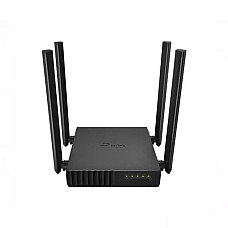
Tp-Link Archer C54 AC1200 Dual Band Wi-Fi Router
Save: 49৳
Brand: TP-Link
    • Antenna: 4× Fixed Antennas
    • Button: WPS/Rest Button
    • Interface: web interface
    • Network Standard: Wi-Fi 5
2,200৳ 2,249৳
Ex Tax:2,200৳
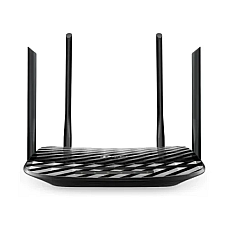
TP-Link Archer C50 AC1200 Dual Band Wi-Fi Router
Save: 99৳
Brand: TP-Link
    • Model: Archer C50
    • Antenna: 4 x External Antennas
    • Coverage Area: Maximum 1200 sq ft to 1500 sq ft Area
    • Frequency: Dual Band (5Ghz & 2.4Ghz)
2,450৳ 2,549৳
Ex Tax:2,450৳
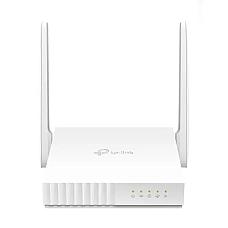
TP-Link XN020-G3 N300 Wireless GPON router
Save: 461৳
Brand: TP-Link
    • Model: XN020-G3
    • Antenna Type: External , 2 x 2 5dBi for 2.4GHz
    • Interface: 1SC/APC Port, 1x 10/100/1000Mbps LAN Port
    • Data Rate: 300Mbps at 2.4GHz
2,829৳ 3,290৳
Ex Tax:2,829৳
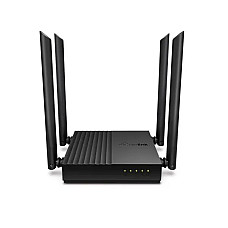
TP-Link Archer C64 AC1200 1200mbps Dual-Band Wireless MU-MIMO Gigabit WiFi Router
Save: 100৳
Brand: TP-Link
    • MU-MIMO achieves 2X efficiency
    • Beamforming technology
    • 802.11ac Wave2 WiFi
    • 4 external antennas
3,000৳ 3,100৳
Ex Tax:3,000৳
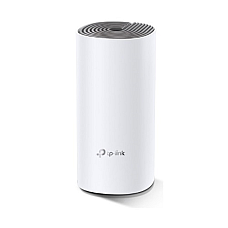
TP-Link Deco E4 AC1200 Dual-band Mesh Router (1 Pack)
Save: 250৳
Brand: TP-Link
    • Model: TP-Link Deco E4
    • Deliver Wi-Fi to an area of up to 1500 square feet
    • connect up to 100 devices
    • Frequency: 2.4 GHz, 5 GHz
3,200৳ 3,450৳
Ex Tax:3,200৳
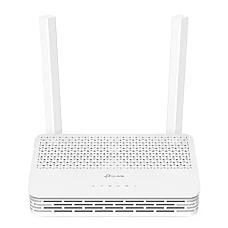
TP-Link XC220-G3 AC1200 Wireless XPON Router
Save: 270৳
Brand: TP-Link
    • Model: XC220-G3
    • Wireless Frequency: 2.4 GHz and 5 GHz
    • Interface: 2x 10/100/1000 Mbps LAN, 1x PON Port
    • Downstream Speeds: 2.488 Gbps (GPON), 1.25 Gbps (EPON)
3,200৳ 3,470৳
Ex Tax:3,200৳
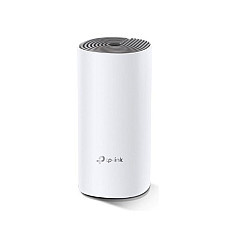
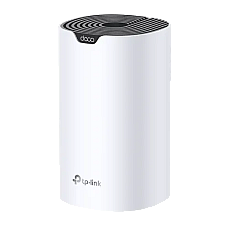
Brand: TP-Link
    • Antenna:2 Internal dual-band antennas per Deco unit
    • Data Rate:867 Mbps at 5 GHz, 300 Mbps at 2.4 GHz
    • Frequency:2.4 GHz and 5 GHz
    • Button:1 Reset button on the underside
3,350৳
Ex Tax:3,350৳
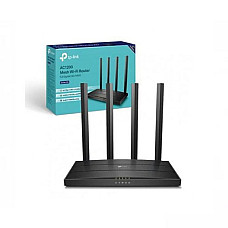
Brand: TP-Link
    • Frequency: 2.4GHz and 5GHz
    • Data Transfer Rate (Wifi) - 1200 Mbps
    • Power Supply: 12V/1A
    • Color:Black
3,450৳
Ex Tax:3,450৳
Brand: TP-Link
    • Frequency: 2.4-2.4835GHz
    • Power Consumption: 5.8W
    • External Power Supply: 12VDC/1A
    • Signal Rate: 11n: Up to 450Mbps(dynamic)
4,050৳
Ex Tax:4,050৳
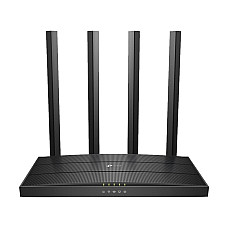
Brand: TP-Link
    • 4× Fixed High-Performance Antennas
    • 802.11ac Wave2 Wi-Fi, 1900Mbps
    • 3×3 MU-MIMO Technology
    • Data Transfer Rates: 1900Mbps (WiFi)
4,290৳
Ex Tax:4,290৳
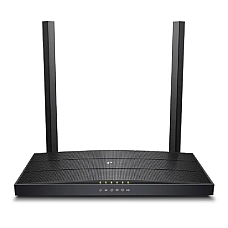
TP-Link XC220-G3v AC1200 Wireless VoIP GPON Router
Save: 605৳
Brand: TP-Link
    • Model: XC220-G3v
    • Wireless Frequency: 2.4GHz and 5GHz (not Supports DFS)
    • Interface: 4x LAN Ports, 1x SC/APC XPON, 1x RJ11 FXS Port
    • Signal Rate: 867Mbps at 5GHz, 300Mbps at 2.4GHz
4,385৳ 4,990৳
Ex Tax:4,385৳
TP-Link Deco M4 1-pack AC1200 Whole Home Mesh Wi-Fi System
Save: 200৳
Brand: TP-Link
    • Deliver Wi-Fi to an area of up to 2,000 square feet
    • connect up to 100 devices
    • Frequency: 2.4 GHz, 5 GHz
    • Speed up to 1200 Mbps
4,500৳ 4,700৳
Ex Tax:4,500৳
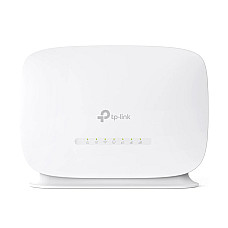
Brand: TP-Link
  • Band : Single
  • Router Type : Wireless & Ethernet
  • Wi-Fi Generation : Wi-Fi 4
  • Wi-Fi Coverage (Approximate) : Up to 1500 Sq. ft
  • SIM Card Slot Included : Yes
  • Antenna (Type & Qty) : 2 x Internal
  • Color : White
4,890৳
Ex Tax:4,890৳
Brand: TP-Link
    • Model: Deco S7
    • Deliver Wi-Fi Area up to 2,100 square feet
    • Frequency: Dual-Band (2.4GHz & 5GHz)
    • WiFi Speeds: Up to 1900 Mbps, TP-Link Mesh Technology
    • Interfaces: 3× Gigabit Ports, 3× Internal Antennas
4,900৳
Ex Tax:4,900৳
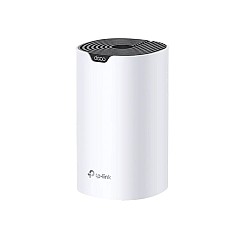
Brand: TP-Link
    • Wi-Fi Coverage: Up to 2,100 sq. ft.
    • Dual-Band: 2.4GHz & 5GHz frequencies
    • Speed: Up to 1900 Mbps
    • Ports: 3 Gigabit Ports
4,999৳
Ex Tax:4,999৳
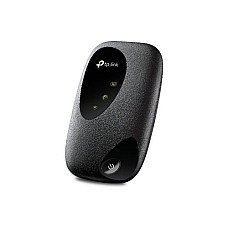
Brand: TP-Link
  • Share internet access for up to 10 devices simultaneously
  • Supports the latest generation 4G FDD/TDD-LTE
  • Internal 2000 mAh Rechargeable Battery
  • Wireless Speeds up to 300 Mbps
5,100৳
Ex Tax:5,100৳
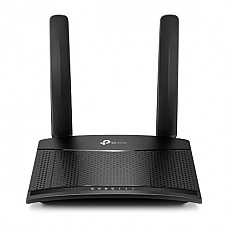
Brand: TP-Link
    • Data Rate 300 Mbps
    • Antenna 2× Antennas
    • Button WPS/ Reset Button
    • Power Mode: 9V/ 0.85A
5,200৳
Ex Tax:5,200৳
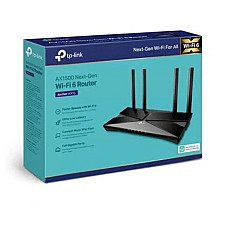
Brand: TP-Link
    • Supports MU-MIMO and OFDMA
    • 5 GHz: 1201Mbps, 2.4 GHz: 300Mbps
    • Beamforming, High-Power FEM, 4T4R
    • 1× Gigabit WAN Port, 4× Gigabit LAN Ports
5,800৳
Ex Tax:5,800৳
Showing 1 to 20 of 93 (5 Pages)

TP-Link Dual Band Router: Choose the Right Archer, Deco or Wi-Fi 6 Model at Computer Village

The TP Link Dual Band Router Price in BD at Computer Village currently starts from around 1,600৳. Router prices change frequently with stock and market rates, so please visit our website and check the latest price before you buy.

A TP-Link dual band router sends Wi-Fi on two frequencies at the same time. The 2.4 GHz band covers more distance, and the 5 GHz band gives more speed. This lets every phone, TV and laptop in your home use the band that suits it best.

Most buyers come to our router desk at BCS Computer City with the same complaints: video calls freeze, the bedroom gets weak signal, or the internet slows down every evening. In most cases the internet package is fine. The real problem is an old single-band router trying to serve too many devices in a crowded apartment building. Computer Village has served Bangladeshi homes and offices for more than 25 years, and this guide shares what we have learned at the counter so you can choose with confidence.

2.4 GHz vs 5 GHz: What Is the Difference?

Use 2.4 GHz for range and walls, and 5 GHz for speed in nearby rooms.

Factor2.4 GHz5 GHz
StrengthLonger range, passes walls betterHigher speed, lower lag
Best forDistant phones, CCTV, smart devicesSmart TV, gaming, video calls, laptops
Crowding in apartmentsVery highMuch lower

In a typical Dhaka flat, your phone may detect 20 or more neighbouring Wi-Fi networks, and almost all of them share the 2.4 GHz band. That explains why speed drops at night. Moving your main devices to 5 GHz is often the quickest fix.

How to Choose a TP-Link Dual Band Router

Short answer: Your internet speed, home size, device count and connection type matter more than the biggest number printed on the box.

  1. Internet speed: AC750 handles packages up to about 50 Mbps. AC1200 with gigabit ports suits 60 to 150 Mbps. For faster plans or a long-term setup, choose Wi-Fi 6.
  2. Home size: One Archer router covers a small or medium flat. Duplex homes and long flats with thick brick walls work better with Deco mesh.
  3. Devices online together: If you regularly run more than 10 to 15 devices, look for MU-MIMO or Wi-Fi 6.
  4. Fiber connection: A normal Archer or Deco router connects behind your ISP's ONU. TP-Link XPON/GPON routers can replace the ONU, but ask your ISP before buying one.
  5. Wired devices: For a desktop, gaming console or printer, choose gigabit LAN ports. Some budget models limit wired speed to 100 Mbps.

TP-Link Dual Band Router Series Explained

Short answer: Archer C is Wi-Fi 5, Archer AX is Wi-Fi 6, Deco is mesh, and XC/XN models are fiber routers with a built-in ONU.

  • Archer C series (Wi-Fi 5): The most popular choice for homes. The Archer C24 suits single users. The Archer C64 and Archer C6 V6.0 add gigabit ports and MU-MIMO for families.
  • Archer AX series (Wi-Fi 6): Built for busy homes. The Archer AX12 uses OFDMA and WPA3 to keep many devices running smoothly at the same time.
  • Deco mesh: Several units share one Wi-Fi name and hand your phone from unit to unit automatically. Models like the Deco M4 and Deco S7 are ideal for larger homes.
  • XC/XN XPON routers: These combine the fiber ONU and Wi-Fi router in one device. They are common with local ISPs across Bangladesh.

Wi-Fi 5 or Wi-Fi 6: Which Should You Buy in 2026?

Short answer: Wi-Fi 5 is excellent value for moderate use. Wi-Fi 6 is the better long-term choice for homes with many devices.

FeatureWi-Fi 5 (802.11ac)Wi-Fi 6 (802.11ax)
Many devices at onceGoodExcellent (OFDMA)
SecurityWPA2, WPA3 on newer modelsWPA3 standard
Best forSmall to medium familiesBusy homes, gamers, long-term use

Key Specifications in Plain Language

  • AC750 / AC1200 / AX1500: These numbers show the combined maximum speed of both bands. Real speeds are lower, but a higher rating gives more headroom.
  • MU-MIMO: The router serves several devices at the same time instead of one after another.
  • Beamforming: The router focuses signal toward your device for a more stable connection.
  • Gigabit ports: These are needed for full wired speed on packages above 100 Mbps.
  • EasyMesh: Lets you add compatible units later to extend coverage.

Real Buyer Situations

Pick the router based on the problem you actually need to solve.

Weak signal in the bedroom: A 4-antenna AC1200 router placed in a central spot usually solves it. In long or duplex homes, Deco mesh is more reliable than a cheap extender.

Slow internet in the evening: This is usually crowding on 2.4 GHz. Move your TV and laptop to the 5 GHz band.

Whole family online at once: Choose a MU-MIMO Archer model or Wi-Fi 6 so one heavy user does not slow down everyone else.

Small shop or office: Use gigabit ports, a guest network for customers, and a switch for wired POS and CCTV devices.

Setup Tips for Bangladesh Connections

  • All TP-Link routers support PPPoE and dynamic IP, which are the login types used by local broadband ISPs.
  • Connect the router's WAN port to your ONU's LAN port.
  • Place the router high and central, not inside a cabinet.
  • Use a DC mini UPS to keep Wi-Fi running during load-shedding.
  • Manage Archer routers with the TP-Link Tether app and Deco units with the Deco app.
  • Change the default admin password and keep the firmware updated.

Buy Now from Computer Village

Authentic TP-Link stock, official warranty and expert advice from a trusted physical store.

  • Authentic TP-Link routers with official 1-year manufacturer warranty
  • Showroom at BCS Computer City, Agargaon, plus multiple branches
  • Dedicated networking support on WhatsApp for advice and setup
  • Card, mobile banking and EMI payment options
  • Nationwide delivery and warranty claim support

Popular TP-Link Routers and Related Categories

For a single user or small flat, start with the TP-Link Archer C24 AC750 dual band router. Families on fiber can choose the TP-Link Archer C64 AC1200 gigabit router or the TP-Link Archer C6 V6.0 AC1200 router. Busy homes will benefit from the TP-Link Archer AX12 Wi-Fi 6 router, and larger homes from the TP-Link Deco M4 mesh Wi-Fi system. You can also explore all Wi-Fi routers, a TP-Link network switch, a TP-Link range extender, TP-Link access points and TP-Link ONU devices.

Frequently Asked Questions

Which TP-Link dual band router is best for home use?

For most 1,000 to 2,000 sq ft flats on 50 to 150 Mbps fiber, an AC1200 Archer router with gigabit ports, such as the Archer C64 or Archer C6 V6.0, offers the best balance.

Is a dual band router better than single band?

Yes. The extra 5 GHz band is faster and less crowded, so it performs much better in apartment buildings.

Should I buy Wi-Fi 5 or Wi-Fi 6?

Wi-Fi 5 suits moderate use and smaller budgets. Wi-Fi 6 is better for many connected devices and long-term use.

How much area does a TP-Link dual band router cover?

Many AC1200 models and one Deco M4 unit are rated for roughly 1,500 to 2,000 sq ft in open conditions. Brick walls reduce this, so larger homes benefit from mesh.

Can I use a TP-Link router with my ISP's ONU?

Yes. Connect the router's WAN port to the ONU's LAN port and set up PPPoE or dynamic IP as your ISP instructs.

What is the difference between Archer and Deco?

Archer is a single standalone router. Deco is a mesh system that uses multiple units under one Wi-Fi name for whole-home coverage.

Do TP-Link routers from Computer Village have warranty?

Yes. They come with the official 1-year manufacturer warranty, and the Computer Village team helps with claims.

TP Link Dual Band Router Price List in Bangladesh 2026

Find the latest prices of budget-friendly TP Link Dual Band Router in Bangladesh as of 20-11-2026. Stay updated with the newest information. We have listed prices from all the top Models under TP Link Dual Band Router. This price list is easy to follow and helps you pick the best product within your budget. Explore the range of TP Link Dual Band Router and check the latest prices to make a smart buying choice.

Product NamePrice
TP-Link Archer C6 AC1200 Wireless MU-MIMO Gigabit Router3,450৳
TP-Link Archer C64 AC1200 1200mbps Dual-Band Wireless MU-MIMO Gigabit WiFi Router3,000৳
Tp-Link Archer C54 AC1200 Dual Band Wi-Fi Router2,200৳
TP-Link Archer C80 AC1900 Wireless MU-MIMO Wi-Fi Router4,290৳
TP-Link Deco E4 1-pack AC1200 Whole Home Mesh Wi-Fi System3,350৳
TP-Link Deco X20 AX1800 Whole Home Mesh Wi-Fi 6 Router (3 Pack)20,300৳
TP-Link TL-WR841N 300Mbps Wireless N Router1,600৳
TP-Link Deco M4 1-pack AC1200 Whole Home Mesh Wi-Fi System4,500৳
TP-Link Deco X20 AX1800 Dual-Band Mesh Router 2 Pack14,500৳
TP-Link Deco X50 AX3000 Dual Band Mesh Router (3-Pack)24,000৳