Router Price in BD — A Buyer's Guide from Computer Village
Ask ten people what router they need and you'll get ten different answers, because a router isn't really one product — it's a decision shaped by your ISP package, your floor plan, and how many phones, laptops, smart TVs and CC cameras are fighting for bandwidth at 9 PM on a Thursday. At Computer Village, we've sat across the counter for that conversation thousands of times at our Agargaon showroom, and the pattern is always the same: people either overpay for specs they'll never use, or underbuy and end up back in the shop three months later asking why the WiFi drops every time someone microwaves leftovers.
This page is built to stop that guessing. Below, you'll find honest buying logic drawn from real customer situations, a plain-language breakdown of what all the spec-sheet jargon actually means, and a full router catalog from 20+ authentic brands — TP-Link, Tenda, Mercusys, Mikrotik, Asus, Netis, D-Link, Huawei, Cisco, Zyxel and more — all backed by Computer Village's own warranty and service desk.
Which Router Fits Your Situation? (Real Scenarios, Real Answers)
Instead of a generic checklist, here's how our floor staff actually think through a router recommendation — matched to situations we see every week.
"I just upgraded my internet package and it feels the same"
This is the single most common complaint we hear — and 8 times out of 10, it's not the ISP, it's an old single-band router choking a faster line. Bangladesh's broadband packages have gotten noticeably faster over the last year as operators revised their speed tiers upward at the same price points, but a router bought five years ago simply can't push that extra bandwidth through. If your line is anywhere north of 40–50 Mbps, you need a dual-band, gigabit-WAN router — not a repeat of what you already own.
"It works fine near the router but dies in the back room"
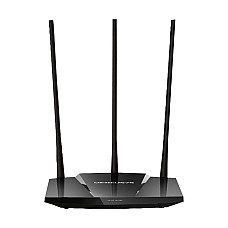
Classic concrete-wall problem in Dhaka's flats and duplex homes. A single unit, however powerful, has a physical limit on how far a signal punches through brick and rebar. The fix isn't a "stronger" router — it's either a high-gain external-antenna model positioned centrally, or a mesh WiFi system if the dead zone is more than one room away.
"My ping spikes the second someone else starts streaming"
That's bandwidth contention, and it's solved with Quality of Service (QoS) traffic prioritisation — a feature built into gaming-focused routers so your match gets priority packets over a Netflix stream running in the next room. Pair it with a wired LAN connection to your console or PC if the router sits close enough; wireless will always add a sliver of latency wired ports don't.
"I'm setting up a small shop or office network"
Small commercial spaces usually need more LAN ports than a home router offers, plus a guest network to keep staff and customer WiFi separate, and ideally a router that supports VPN for remote access to POS or accounts software. This is where it's worth stepping up to a business-grade dual-band unit or a proper Mikrotik setup rather than a consumer box.
"There's no fixed broadband where I live"
A SIM-based LTE router solves this cleanly — pop in a mobile data SIM and it behaves like any other home router, no fibre or copper line needed. Common in newly-developed areas and semi-urban locations still waiting on ISP coverage.
"I work from home on video calls all day"
Prioritise a dual-band router with a dedicated 5GHz channel and low-latency performance over one that just advertises a big Mbps number. Video calls care far more about stability and jitter than peak theoretical speed — a mid-range AC1200 dual-band unit will usually out-perform a cheap "high-speed" single-band box for this use case.
The Router Decoder: What the Spec Sheet Actually Means
Every router box is covered in numbers and acronyms designed to look impressive. Here's what they mean for how your internet actually feels day to day.
| Term | What it controls | Who needs it |
|---|
| Single-band (2.4GHz) | Range over raw speed; more interference from neighbours' WiFi | Small flats, 1–2 users, light browsing |
| Dual-band (2.4GHz + 5GHz) | 5GHz lane handles streaming/gaming; 2.4GHz covers distance | Most Bangladeshi households and home offices |
| Tri-band | A second 5GHz (or 6GHz) lane for less congestion | Multi-device homes, serious gamers, streamers |
| Gigabit WAN/LAN | Wired ports rated for up to 1000 Mbps | Fibre connections above 100 Mbps, NAS/desktop wiring |
| Wi-Fi 5 (AC) | Solid, proven wireless standard | Value-focused buyers — still the best price-to-performance pick |
| Wi-Fi 6 (AX) | Handles many simultaneous devices more efficiently | Smart-home setups, busy offices, 15+ connected devices |
| Wi-Fi 7 (BE) | Highest throughput, lowest latency currently available | Future-proofing, heavy 4K/8K streaming, competitive gaming |
| MU-MIMO / Beamforming | Talks to multiple devices at once instead of queueing them | Anyone with 5+ devices online simultaneously |
| Mesh support | Multiple nodes sharing one network name, no dead zones | Duplex houses, large flats, multi-floor offices |
One thing worth knowing as a Bangladeshi buyer specifically: ISPs here have been pushing minimum broadband speeds upward — the industry has been moving toward a 20 Mbps floor even on entry packages, with several operators tripling speeds on existing plans at unchanged prices. That shift alone has quietly made single-band routers obsolete for anyone on a modern package; a router that made sense on a 5–10 Mbps connection three years ago is now the bottleneck on the same monthly bill.
Router Categories at Computer Village
Wireless N / Single-Band
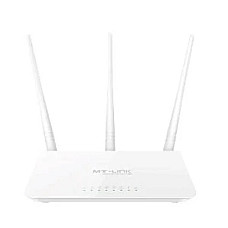
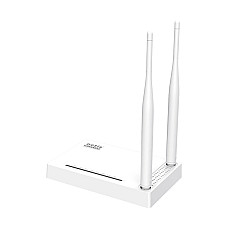
The entry tier — reliable for browsing, messaging, and light streaming on a couple of devices. A sensible pick for students or a single-occupant room, not for a shared household with a fibre package.
Dual-Band AC Routers
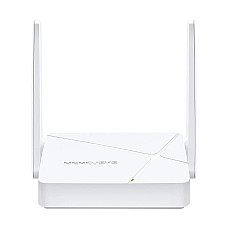
The volume seller in Bangladesh, and for good reason — it covers 90% of what a household actually does: HD streaming, online classes, video calls, multiple phones and laptops, without the premium of tri-band or Wi-Fi 6.
Gigabit & Wi-Fi 6 Routers
Built for households and offices where the internet package itself has outgrown older hardware — fibre connections, NAS backups, and homes running a dozen-plus smart devices.
Gaming Routers
QoS prioritisation, stronger onboard processors, and firmware tuned to keep ping steady under load — the difference between a clean headshot and a rubber-banding disaster.
Mesh WiFi Systems
The correct fix for large or multi-storey homes where a single unit — no matter how powerful — physically can't reach every corner.
SIM / LTE & Enterprise Routers
SIM routers bring WiFi anywhere there's mobile signal. On the other end of the spectrum, our Mikrotik and Cisco lineup serves ISPs, offices, and network admins who need serious routing, VPN, and load-balancing capability.
Choose Your Favorite Router Now from Computer Village
Twenty-five-plus years in Bangladesh's tech retail space has taught us that a router is only as good as the support behind it. Every unit on this page is sourced through authorised distribution — not grey-market imports — which means the warranty card in the box is actually honoured. Our networking desk at BCS Computer City, Agargaon doesn't just sell routers; we configure them, troubleshoot ISP-side issues customers often mistake for hardware faults, and stock the accessories — switches, cables, access points — that turn one router into a network that actually works for your space. That combination of authentic stock, in-house technical staff, and a physical service centre is what a marketplace listing can't offer.
Explore More of Our Networking Range
A router rarely solves a network problem alone — pair it with the right supporting gear:
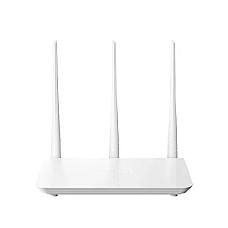
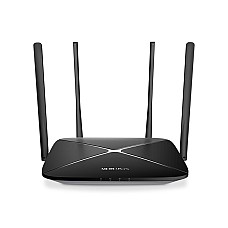
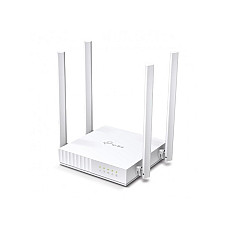
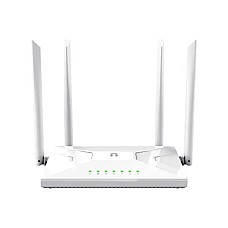
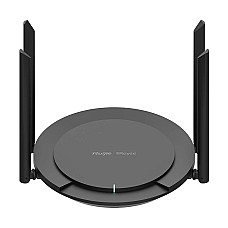
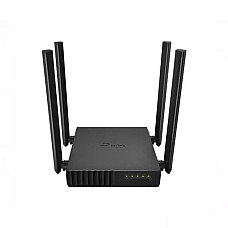
Popular in-stock picks customers are adding to cart right now: the budget-friendly Tenda F6 Wireless N300 router, the household favourite TP-Link Archer C54 AC1200 dual-band router, the whole-home Tenda AC6 AC1200 smart WiFi router, the gigabit-ready Netis NC65 gigabit router, and the fast Tenda RX9 Pro AX3000 Wi-Fi 6 router.
Frequently Asked Questions
What determines router price in BD?
Four things mostly: Wi-Fi generation (5 vs 6 vs 7), band count (single, dual, tri), wired port speed (standard vs gigabit), and brand/build quality. Gaming and mesh systems add a premium for the extra processing and coordination hardware inside.
Do I need a dual-band router if I only browse and message?
Not strictly — a single-band router covers that use case fine. Dual-band starts paying off once you add streaming, video calls, or more than 2–3 simultaneously connected devices.
Is a mesh system better than a single powerful router?
For a duplex or multi-storey home, yes — mesh solves the physical problem of walls and distance that no single unit, however strong, can fully overcome. For a single-floor flat, a good high-gain router is usually enough.
What's the real difference between Wi-Fi 5 and Wi-Fi 6?
Wi-Fi 5 delivers strong performance at a lower price and still suits most homes. Wi-Fi 6 handles many connected devices more efficiently at once — it shows its advantage in smart-home setups and busy offices, not in raw single-device speed.
Can a router fix slow internet on its own?
Only up to the speed your ISP actually delivers. A modern router removes the hardware as the bottleneck; it can't create bandwidth your line doesn't have. Pair the right router tier with your actual package speed for the best result.
Does Computer Village offer warranty and service support on routers?
Yes — every router is sourced through authentic channels with full brand warranty, backed by our dedicated networking service desk at BCS Computer City, Agargaon, and WhatsApp support for setup or troubleshooting.